HDS Support Connect
Support Portal Redesign
Overview
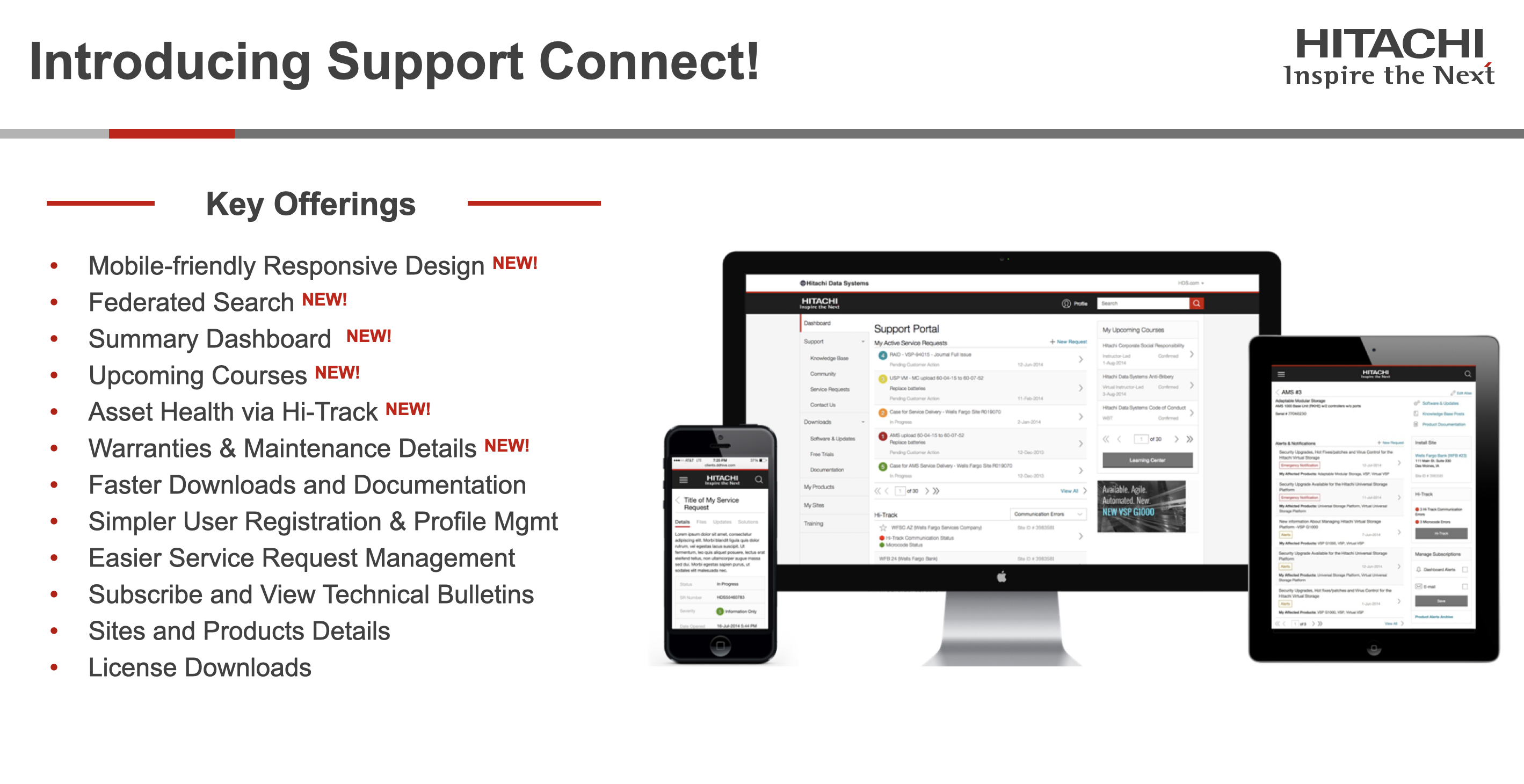
Support Connect was a comprehensive redesign of the Hitachi Data Systems customer support portal. The project introduced a mobile-friendly responsive design, federated search, summary dashboards, and improved asset health monitoring through Hi-Track integration — all aimed at simplifying the support experience for customers.
Prioritisation & Execution
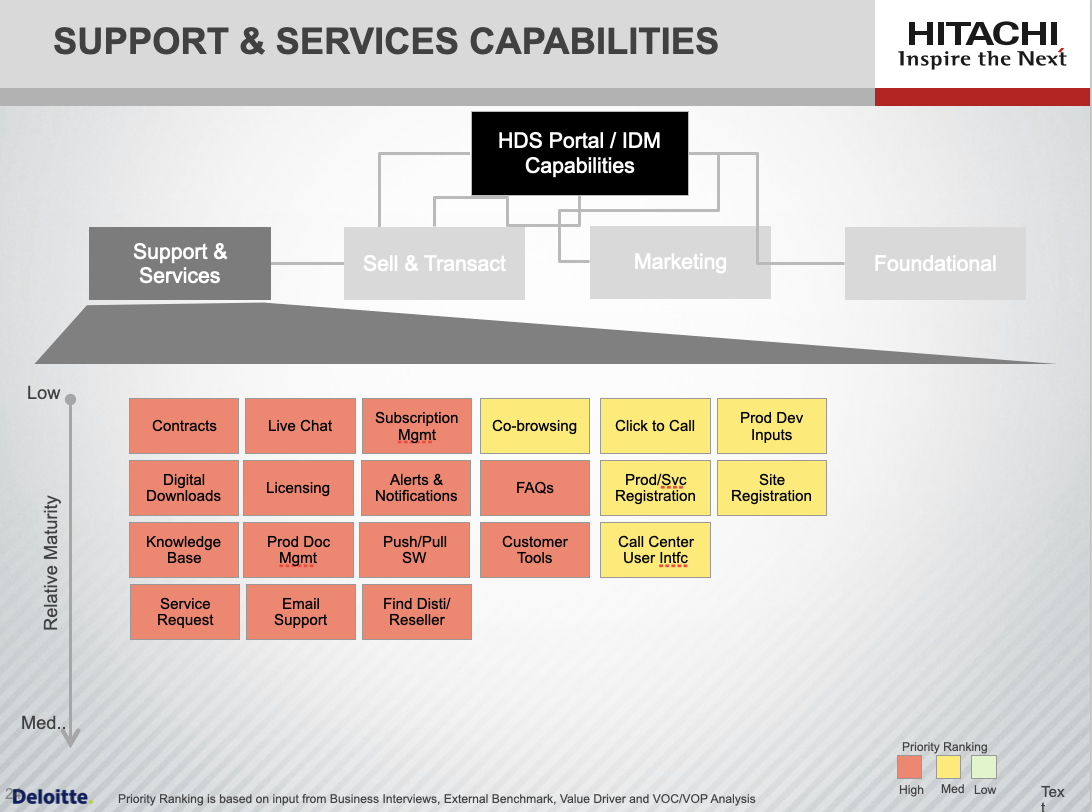
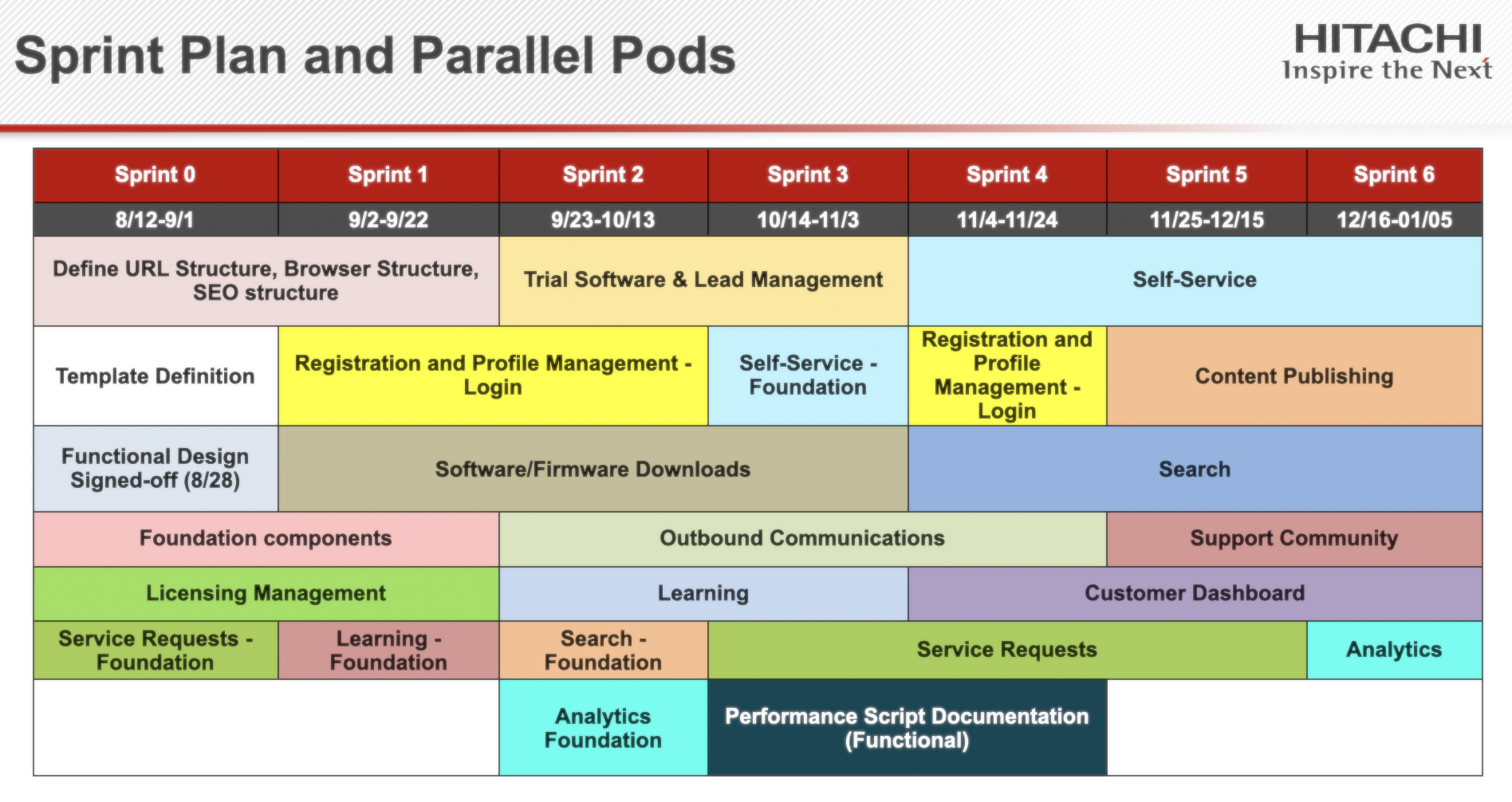
To bring structure to a complex enterprise redesign, we developed a Priority Ranking methodology that scored each capability based on business priority, external benchmarking (against competitors like Dell and HP), business case value, and voice of the customer and partner. This data-driven approach produced a ranked capability map across Support & Services, Sales & Training, Marketing, and Foundational categories — enabling stakeholders to align on what to build first. The prioritised backlog was then translated into a Sprint Plan with parallel pods, allowing multiple workstreams (service requests, learning, search, analytics, and more) to execute concurrently across seven sprints.

Key Features
The redesigned Support Connect introduced several new capabilities including mobile-friendly responsive design, federated search across all support content, a summary dashboard for at-a-glance status, Hi-Track asset health monitoring, and streamlined service request management.
Dashboard Design
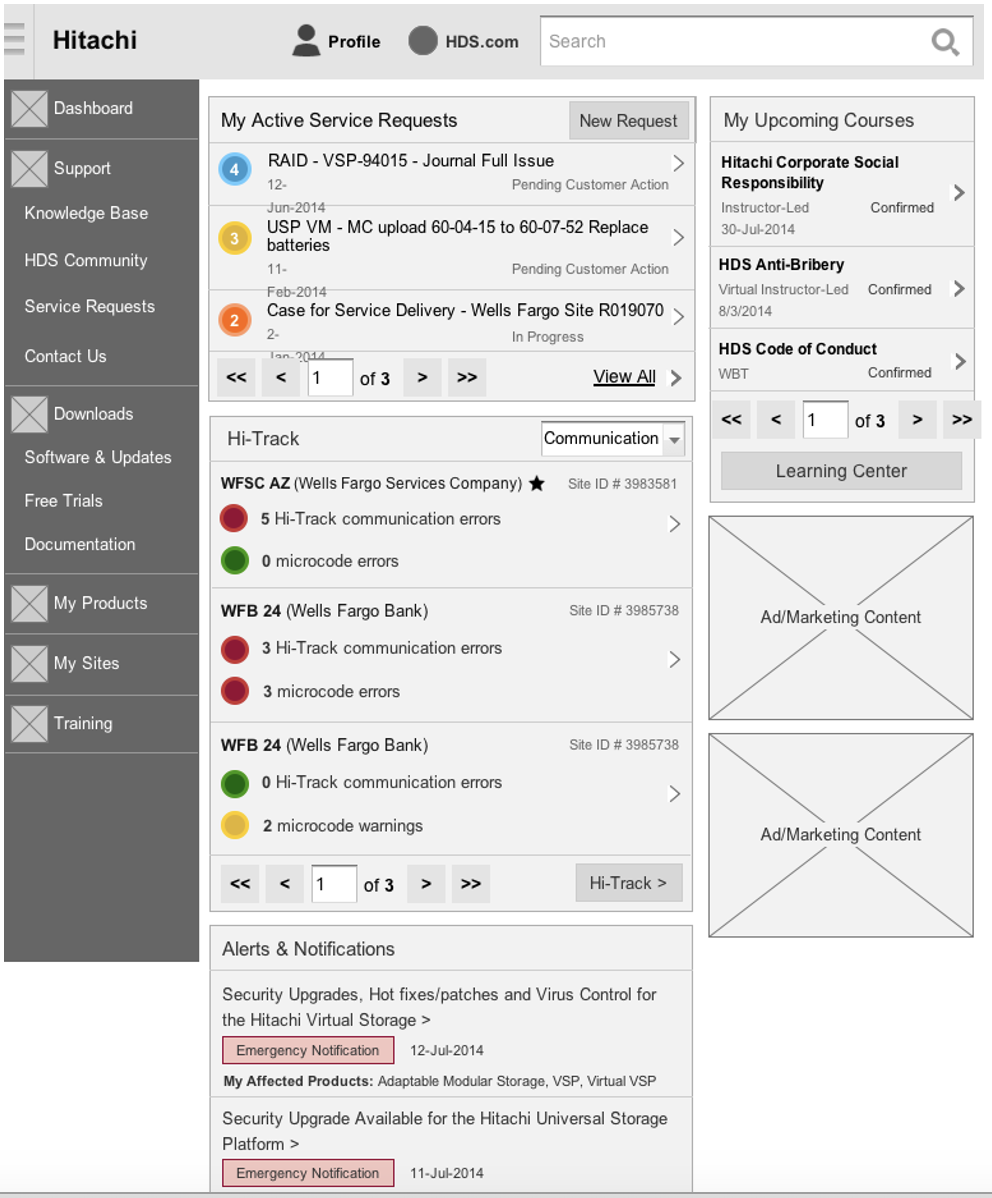
The support dashboard provides customers with a centralized view of their active service requests, Hi-Track asset monitoring with real-time status updates, upcoming courses, and alerts. The sidebar navigation gives quick access to the knowledge base, community resources, and software downloads.
Outcome
The redesigned Support Connect portal delivered a modern, responsive support experience that reduced friction in common workflows like service request management and asset monitoring, while introducing powerful new capabilities like federated search and proactive health alerts.